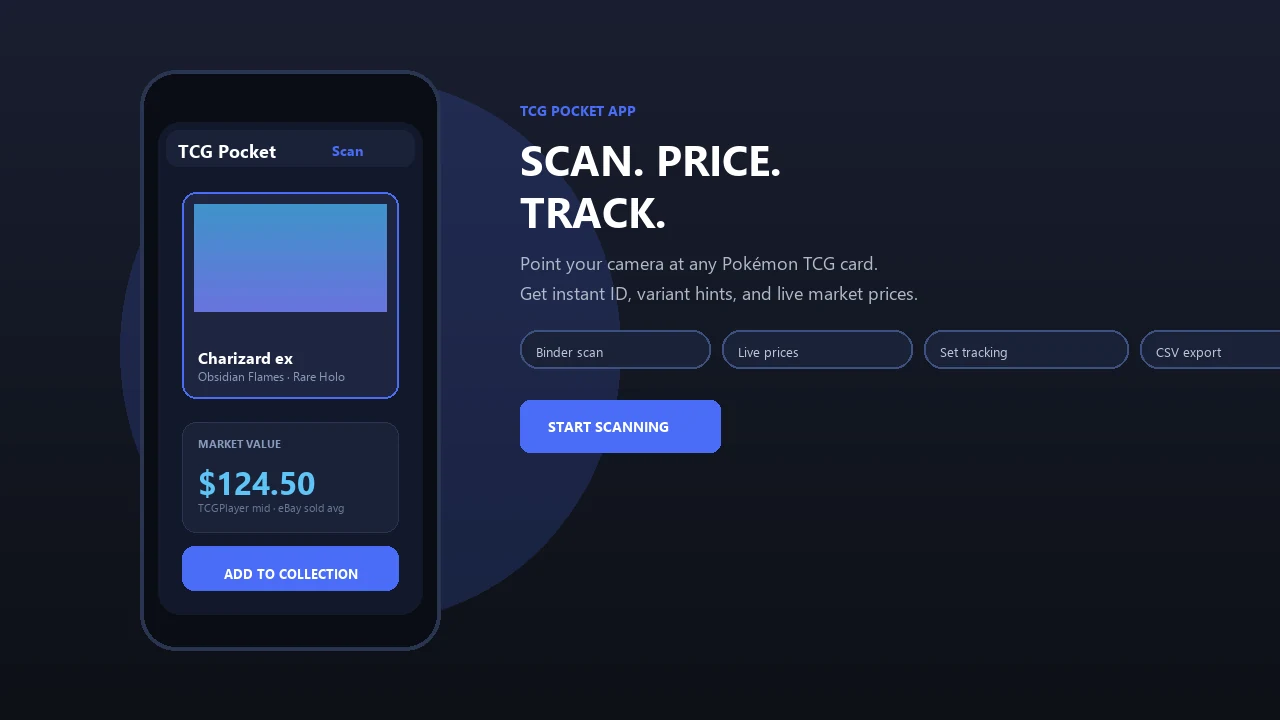
Keep the value of your physical Pokémon card collection close at hand. The Pokemon Card Scanner widget displays your portfolio total and top movers on compatible iPhone Home Screen and Lock Screen layouts.
Pokemon Card Scanner runs on iOS and web. Get pokemon card scanner widget app when you are ready to scan.
What Is a Pokemon Card Scanner Widget?
A pokemon card scanner widget is an iPhone widget that presents useful collection information without requiring you to browse your entire catalog. The Pokemon Card Scanner widget is designed for collectors of physical trading cards who want quick access to their estimated portfolio total, notable price changes, and collection activity.
Place the widget on an iOS 17 or iOS 18 Home Screen or supported Lock Screen layout. It provides a compact summary based on cards saved to your collection. When you want more context, tap the widget to open the scanner and collection tools.
This feature belongs to Pokemon Card Scanner for iOS and its web-based collection experience. TCG Pocket App is the site name and should not be confused with the official Pokémon TCG Pocket digital card game.
See Your Pokémon Card Portfolio Total
Your portfolio total provides an estimated view of the combined market value of cards recorded in your collection. Instead of opening individual card pages and adding prices manually, the widget places that total on your iPhone for quick checks throughout the day.
The displayed amount can change as reference prices change or as you add, remove, and edit cards. This makes the widget useful after opening packs, organizing binders, preparing a trade, or reviewing a long-term collection.
- Check an estimated collection total from the Home Screen.
- Keep your tracked physical cards connected to one portfolio.
- Open the collection for card-level pricing details.
- Review changes after scanning new cards.
A portfolio estimate is a reference point rather than a guaranteed sale price. Card condition, language, edition, demand, and selling fees can affect the amount a buyer ultimately pays.
Monitor Top Movers and Price Changes
Top movers highlight tracked cards with notable value changes. This gives you a faster way to notice which parts of your collection may deserve attention, whether a card is moving up, moving down, or experiencing an unusual market shift.
Price movement can help you decide which cards to inspect more closely. A change might reflect tournament demand, collector interest, a new release, market scarcity, or differences between recent sales and active listings. The widget offers the headline view, while the full card record provides the context needed for a more informed assessment.
- Spot cards with recent upward or downward movement.
- Jump from the widget to collection details.
- Compare movement with condition and printing information.
- Use trends as research prompts, not automatic buy or sell signals.
Collection trackers commonly focus on value trends and price changes. Apple App Store listings from 2024 through 2026 describe similar portfolio-monitoring features across modern iOS card tools.
Scan Physical Cards and Update Your Collection
The widget becomes more useful when your collection is current. Use the iPhone camera to scan a physical Pokémon card, review the proposed match, and add the correct card to your portfolio. Scanner tools in this category commonly identify details such as the card name, expansion set, rarity, and relevant price information.
- Open Pokemon Card Scanner on your iPhone.
- Place the card on a clear, well-lit surface.
- Keep the full card visible and reduce glare from sleeves.
- Review the identified set and card number.
- Confirm condition and other available collection details.
- Save the card so it contributes to your tracked portfolio.
Always verify the match before saving. Alternate artwork, promotional prints, reverse holos, first editions, and reprints may look similar while carrying different market values. A clean scan and an accurate variant selection help keep the widget total relevant.
Understand the Pricing Behind the Widget
Card values are estimates informed by available marketplace references. Depending on the card and region supported by the pricing model, relevant sources may include TCGplayer, eBay sold listings, and Cardmarket. TCGplayer is widely used for marketplace pricing, while sold listings can provide evidence of completed transactions. Cardmarket is particularly relevant to European collectors.
Shiny cited TCGplayer and PriceCharting references in 2026, while TCG Companion described scan-to-price features and links to live eBay listings in 2026. An Eyevo market comparison from 2026 discussed TCGplayer, Cardmarket, and eBay sold listings as useful pricing references.
No single number captures every card sale. Compare the widget estimate with the card’s exact printing, recent comparable sales, visible condition, and local market. Active asking prices may differ significantly from completed sales.
- Raw and graded cards should not be valued as equivalent items.
- Professional grades from PSA, BGS, or CGC matter only when grade-aware pricing is available.
- Shipping, taxes, platform fees, and currency conversion can affect net proceeds.
Add the Widget on iOS 17 or iOS 18
Pokemon Card Scanner is built for modern iPhone widget layouts on iOS 17 and iOS 18. Several card-scanning products listed on the Apple App Store between 2024 and 2026 require iOS 17 or later, reflecting the category’s focus on current Apple platform features.
- Install or update Pokemon Card Scanner on your iPhone.
- Open the app and save at least one card to your collection.
- Touch and hold an empty area of the Home Screen.
- Choose the option to add a widget and find Pokemon Card Scanner.
- Select an available size, place it, and finish editing.
- For a supported Lock Screen layout, enter Lock Screen customization and choose the available widget position.
If data does not appear immediately, open the app to confirm your collection and allow the widget to refresh. You can also manage and review your collection through the web experience when working on a larger screen.