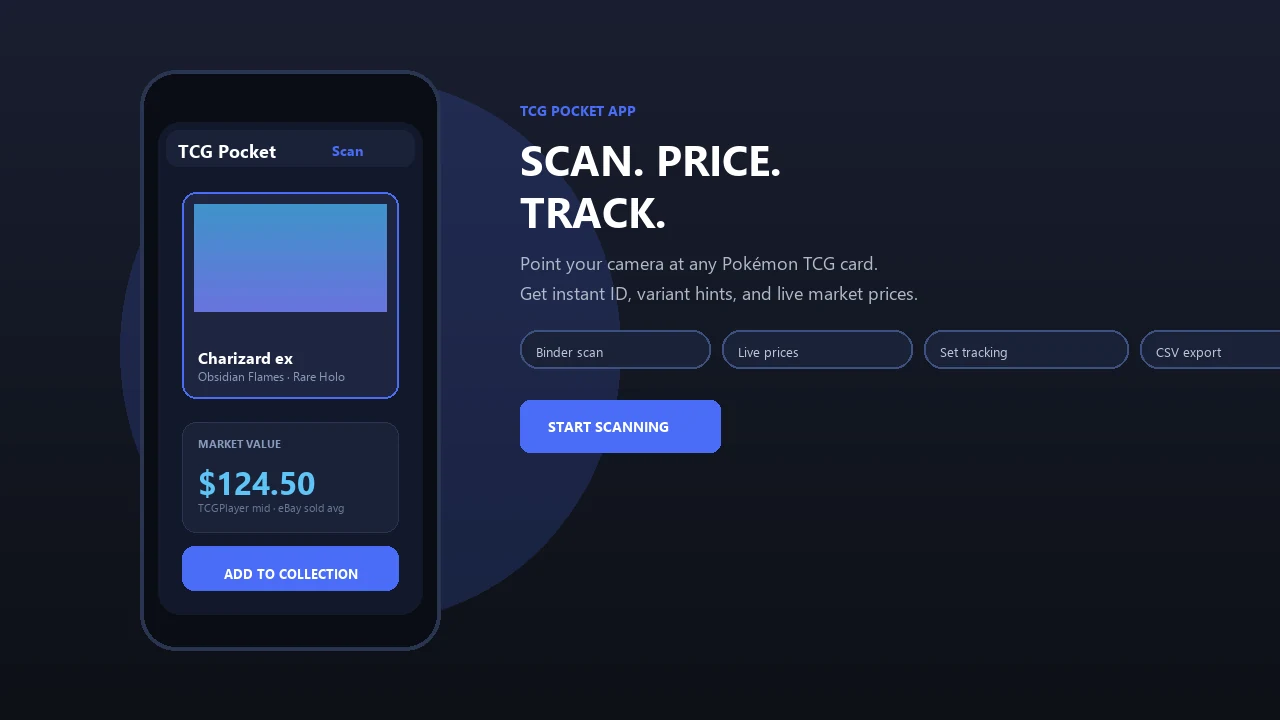
Use your iPhone or iPad camera to identify physical Pokémon cards, research current values, and keep your collection organized. Pokemon Card Scanner is available for collectors on iOS and the web.
Pokemon Card Scanner runs on iOS and web. Get pokemon card scanner app ios when you are ready to scan.
What Is a Pokemon Card Scanner App for iOS?
A Pokemon card scanner app for iOS uses the camera on an iPhone or iPad to help identify physical Pokémon trading cards. Pokemon Card Scanner brings identification, price research, and collection tracking into one practical workflow, reducing the need to search manually through set lists and marketplace results.
Scanning is useful because many Pokémon cards feature similar artwork across different sets, reprints, promotional releases, and regional products. The correct match can depend on details such as the card number, set symbol, rarity, language, finish, and visible edition markings.
This page covers physical Pokémon TCG cards. Pokemon Card Scanner, also associated with the TCG Pocket App name for site identification, is separate from the official Pokémon TCG Pocket digital game. Collectors can use the service through iOS or access its web tools in a compatible browser.
Scan Pokémon Cards with an iPhone or iPad
An iPhone Pokémon card scanner begins with a clear camera image. Place the card on a plain, contrasting surface and make sure the full border, card name, artwork, set symbol, and collector number are visible. Even lighting helps prevent foil glare from hiding text or artwork details.
- Open the scanner on your iOS device.
- Position one physical card within the camera frame.
- Hold the device steady and avoid shadows or reflections.
- Review the suggested card match and set information.
- Confirm the printing before checking its price or adding it to your collection.
For difficult scans, remove the card from a reflective sleeve or change the camera angle slightly. Always handle valuable cards carefully and return them to suitable protection after scanning.
Check Pokémon Card Prices from Multiple Markets
Card identification is only the first step. Collectors often want to compare the identified printing with current marketplace information. TCGplayer pricing is particularly relevant to buyers and sellers in the United States, while Cardmarket is a common reference for European market activity.
eBay sold listings can provide broader real-world comparisons, especially for scarce, older, unusual, or professionally graded cards. Active asking prices are less reliable because they show what sellers hope to receive rather than what buyers have recently paid.
Published scanner-app comparisons from 2026 discuss workflows that bring TCGplayer, Cardmarket, and eBay references together. Availability varies by tool, region, card, and condition, so confirm which sources are shown before relying on a displayed estimate. Prices can change quickly, and no single marketplace result guarantees a card's final sale value.
Review the Exact Printing and Card Condition
A scanner result should be treated as a starting point rather than a substitute for inspection. Confirm the card name, expansion, collector number, rarity, language, and finish. Reverse-holo, standard holo, promotional, first-edition, and later-print versions may have different market values even when their artwork looks nearly identical.
Condition also has a major effect on price. Review the front and back under good lighting for scratches, whitening, dents, creases, edge wear, surface damage, and centering concerns. Marketplace categories can be interpreted differently, so compare your card with the condition guidance used by the relevant seller platform.
- Match the complete collector number and set.
- Check whether the card is standard, holo, reverse holo, or another variant.
- Verify the language and regional release.
- Inspect both surfaces, all corners, and every edge.
- Use recent sold comparisons for the closest matching condition.
Track a Pokémon Card Collection on iOS and the Web
Once a card is identified, collection tracking helps turn individual scans into a useful inventory. Record the exact printing, quantity, condition, and other details that matter to you. A structured list can help prevent duplicate purchases and make it easier to review cards from a particular set.
Collection values should be viewed as estimates, not guaranteed sale totals. A portfolio figure may reflect marketplace references without accounting for transaction fees, shipping, taxes, buyer demand, card condition, or the time required to sell. For a realistic estimate, review important cards individually rather than relying only on an overall total.
Using Pokemon Card Scanner on iOS is convenient when sorting cards in person. Web access can be useful when reviewing a collection from a larger screen, researching printings, or planning purchases before a card show or trade.
How iOS Pokémon Card Scanner Options Differ
The Apple App Store includes several tools for Pokémon card collectors. Apple listings describe Dragon Shield Poké TCG Scanner and Card Manager as a tool for collectors, traders, and competitive players. TCGplayer also offers an iPhone app for users who want a workflow connected closely to its marketplace.
Dex for TCG Collectors is another iOS option focused on tracking cards and portfolio value, while Acorn TCG is listed by Apple as a card scanner app. These examples show that iPhone users can choose among tools with different priorities, interfaces, market references, and collection features.
Before choosing an iOS scanner, consider what you need most:
- Reliable identification of the exact set and printing.
- Pricing references relevant to your country.
- Support for collection quantities and condition notes.
- A clear way to correct an incorrect scan.
- Access on iPhone, iPad, or the web as needed.
If you compare graded cards, match the grading company, grade, label generation, and card printing. PSA, CGC, and BGS slabs should be compared with equivalent graded examples rather than raw-card prices.